Verification Safety
An Auchen Guide to spot on scams and protect against them
Discord has suffered a lot of scams, but one of the most impactful and common is the fake verification system (see below). When you join this servers it ask you for verification and does so via two methods:
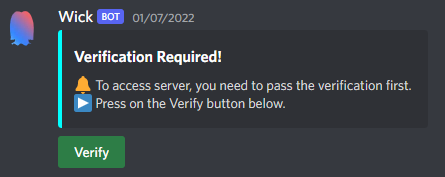
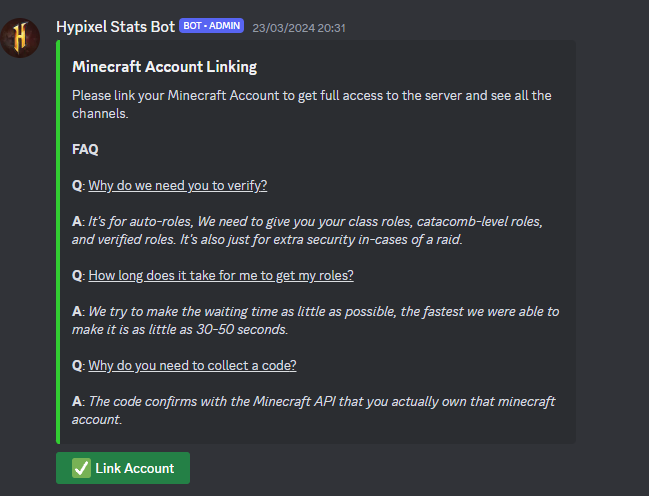
QR Scam
QR Scam is the legacy, first method of scam. It has been used since 2022, and evolved.
It started with the fake verify method that asked you to scan a QR code to allow you access to the server. This QR exploited Discord's login via QR code scanning, allowing scammers to gain access to your account right after scanning the code. Now scammers realised that via exploiting Discord's App Links they can directly show up the login popup without any QR scanning. This is done by extracting the internal content of the code which will output something like https://discord.com/ra/8XRAX1B1mDiDb64W4K3huT2edcUW5wzLkkl8-jXEgLo, and when clicked in the mobile app, the login popup will appear without any QR scanning, making it a much more effective and stealthy method of scam.
Web Scam
Web Scam is the modern, second method of scam. It uses a fake website usually impersonating legitimate Discord bots such as Wick, Invite Tracker, Captcha.bot and others to trick you into logging in showing you a fake Discord login popup which looks exactly like the real one but the only difference is that its hosted in the scammers side, sending them any credentials entered in by the user.
How to Spot and Protect against Scams
QR Scam
To avoid falling victim to QR Scam, it is as simple as not scanning any QR. Discord bots will NEVER ask you to scan any QR code. Also when authing via quick QR code, usually services like Steam show up the IP address from the device you are tying to login, so if you are in such a service always make sure that ip address matches yours. If not, it is not a real login
Web Scam
To avoid falling for Web Scam, one of the best methods is trying to drag the popup page (if any) outside of the webpage. As they are fake popups, they won't leave the page, getting stuck at the top of the page. Also in the taskbar it won't show up any other window, making it easy to spot. Also, always be verified in where the OAuth2 is from. For example, if you log-in to a service via Steam, make sure you are firstly logged in into the real Steam website. Then, if the website stilsl asks you to log-in again, it is a fake website.
Note: do not trust Discord bots just becasue they are Verified, as 99% of times they are indeed Verified by Discord, making this a useless function (thanks Discord ¯\_(ツ)_/¯).